- Documentation
Auto Reminder for Checkout Drop – WooCommerce helps you recover lost sales by automatically emailing customers who abandon their checkout before completing a purchase. It captures lead details at checkout, schedules up to three reminder emails, and tracks conversions when the order is finally placed.
Installation
- Download the plugin .zip file from your purchase.
- Plugins → Add New → Upload Plugin
- Upload the .zip file and click Install Now.
- After installation, click Activate Plugin.
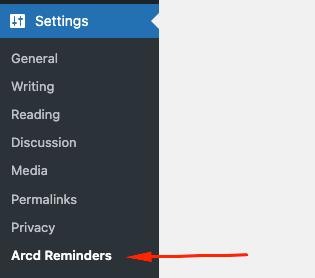
- Open Settings → Arcd Reminders to configure
Quick Start
- Navigate to Settings → Arcd Reminders.
- In Reminder Email, set:
- Logo URL
- Email Subject
- Email Heading
- Email Body (HTML supported)
- Button Label
- Button Link (e.g., your checkout or cart URL)
- Click Save Changes.
- Click Send Test Email to preview the template.
- Visit your WooCommerce checkout page to confirm the lead-capture popup appears.
How It Works
- Lead Capture: When a visitor reaches checkout, a popup form requests their name, email, and phone.
- Reminder Scheduling: If the order is not completed, the plugin automatically sends emails at these intervals:
- 5 minutes after abandonment
- 24 hours later
- 48 hours later
- Conversion Tracking: If the user comes back and completes the order, their record is updated to Converted and no further reminders are sent.
Reminder Email Template
- Add your logo (URL).
- Use HTML tags for styling.
- Insert a Call to Action button with your checkout/cart link.
- Keep subject lines short and engaging to improve open rates.
Reminders List
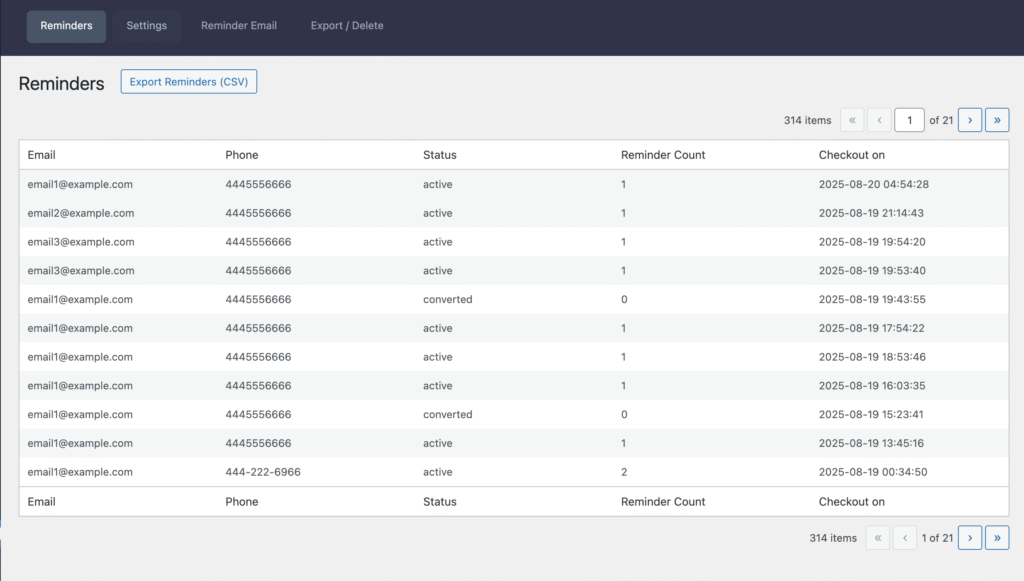
Reminders (Settings → Arcd Reminders → Reminders)
This screen lists all captured checkout reminders and their current state. Use it to monitor activity and maintain your reminder dataset.
Table Columns
- Email – (The email address captured at checkout for sending reminders.)
- Phone – (The phone number captured at checkout)
- Status – (The current state of the reminder record. Typical values:)
- Active — Eligible for upcoming reminder emails.
- Converted — The customer completed an order; no further emails are sent.
- Expired — The sequence ended (max sends reached) without conversion.
- Reminder Count – (How many reminder emails have been sent for this record 0–3)
- Checkout on – (The date/time the record was created from the checkout page – site timezone)
Export / Delete Data
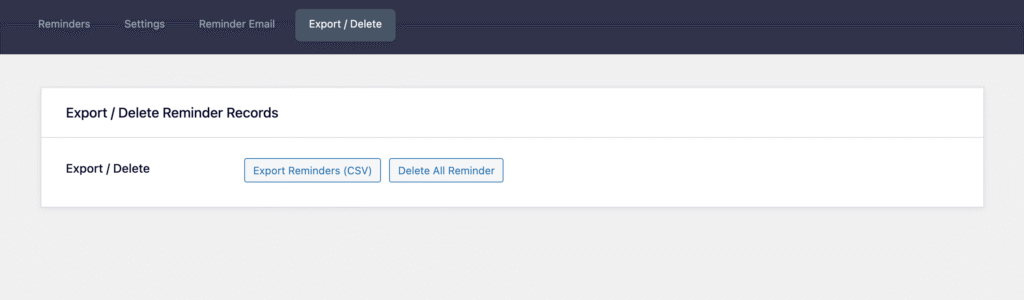
Navigate to (Settings → Arcd Reminders → Export / Delete)
- Export all captured leads as CSV.
- Delete all reminder records with one click
Cron Job & Timing
- Emails are sent using WordPress Cron (WP-Cron).
- Reminders are checked every 5 minutes.
- If WP-Cron is disabled or blocked by your host, reminders will not send.
Troubleshooting
- Cron not running / no emails sent
- Emails landing in spam
- Popup not showing on checkout
- Duplicate prevention / “already active reminder” message
FAQ'S
Where do I configure the plugin?
Settings → Arcd Reminders.
Can I export all captured leads?
Yes—use Settings → Arcd Reminders → Export / Delete → Export CSV.
Can I remove all plugin data?
Yes—use Settings → Arcd Reminders → Settings → Delete Data
Change Logs
Version: 1.0.0 (Aug 01, 2025)
Initial release